How to Write an AI Integration Brief: A Practical Template
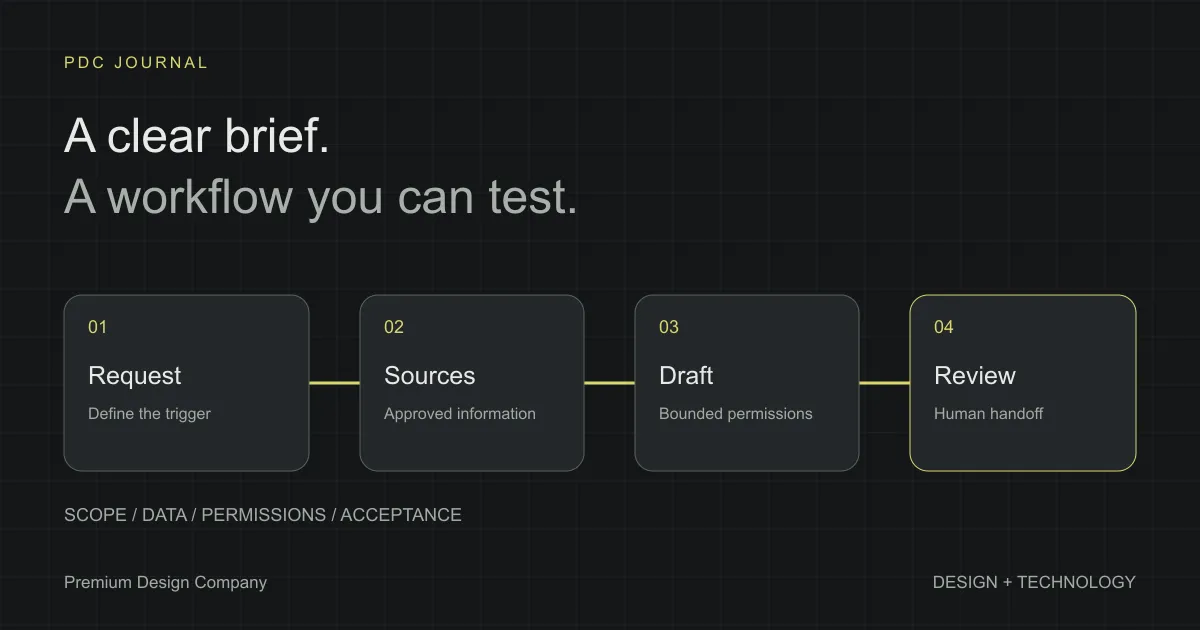
A useful AI integration brief describes one workflow, the information it needs, the actions it may take and how you will decide whether it works. You can write it before choosing a model, framework or vendor. The point is to make the business task clear enough that a team can estimate and test it.
“We want an AI agent” leaves the hardest questions unanswered. Does the system draft a reply or send it? Can it read customer records? Who takes over when information is missing? Which errors would make the project unacceptable?
This guide helps founders and operations teams answer those questions in plain language. It ends with a copyable template. The example throughout is a hypothetical customer-support workflow, not a client case study or a claim about results from our work.
1. Start with the work, not the tool
Write the task as a sentence with a trigger, an input and an expected result. For example: “When a customer asks about a delivery, find the matching order and prepare a reply using the approved delivery information.”
That sentence is already more useful than “add AI to support.” It identifies the moment the system starts, the information it needs and what it should produce. It also exposes an important boundary: preparing a reply is different from sending one.
Describe the existing process next. Who reads the request? Where do they look for the answer? What do they check before replying? Where do they record the outcome? Include the slow or repetitive steps, but also the judgement that currently makes the process reliable.
A short description of the current work is enough to begin. Add screenshots or anonymised examples when they make a step easier to understand. Avoid sending unrestricted customer data simply to make the brief look more complete.
2. Pick a first version your team can evaluate
Choose a bounded workflow before proposing a system that touches every department. A draft reply for one category of support question is easier to review than a general assistant that can change orders, issue refunds and update the CRM.
The brief should say what is included and what is excluded. For the hypothetical delivery workflow, the first version could cover locating an order, retrieving an approved status and drafting a response. Refund decisions, address changes and payment actions would remain outside its scope.
This does not mean that more complex work is impossible. It means each expansion needs a deliberate decision about information, permissions and testing. A smaller first release gives those decisions a clearer starting point.
Ask whether AI is needed for every step. Reading a natural-language request may benefit from a language model, while looking up an order number may be a straightforward system query. In its guide to building effective agents, Anthropic distinguishes predefined workflows from systems where the model directs its own process, and recommends starting with the simplest approach that meets the task. A brief should leave room for that distinction rather than assuming maximum autonomy is the goal.
3. Describe the user and the working context
Name the person who uses the result. A support colleague reviewing a draft has different needs from a customer receiving an answer directly. Specify where the person works: an inbox, a helpdesk, a storefront or an internal chat.
Record the languages, operating hours and relevant accessibility needs. If a request arrives outside working hours, should it wait, produce a draft or send an acknowledgement? If the team works in two languages, should the output follow the customer’s language or a fixed internal language?
Describe how someone will recognise that the system is uncertain. A clear review state is more useful than a confident-looking answer with no indication that a required record was missing. The interface is part of the integration, not a cosmetic layer to add after the logic is finished.
4. List the information the system can use
For each source, record its owner, purpose and update process. Approved support articles, order records and internal notes are different sources with different access needs. The brief should explain which source answers which kind of question.
Start with this table:
| Source | What it provides | Who maintains it | Access needed |
|---|---|---|---|
| Approved support articles | Delivery policy and standard answers | Support lead | Read |
| Order system | Status of a matching order | Operations owner | Read selected fields |
| Helpdesk | Original request and reviewed reply | Support team | Read and save a draft |
These entries are illustrative. Replace them with the actual systems and access options available to your business.
Note missing or contradictory information. If two documents describe different refund rules, the integration cannot resolve the business policy on its own. Assign an owner to correct the source before making it part of the approved answer process.
Also state what must stay out of the system. The first version may not need payment details, unrestricted staff notes or the entire customer history. Review the information needed for the task rather than treating every accessible field as useful context.
5. Separate reading, drafting and acting
Write permissions as explicit actions. “Access to the helpdesk” is vague; “read a request, create a draft and attach source references” is reviewable. Specify whether the system can send a message, edit a record or only propose a change.
For each action, identify whether a person must approve it. If the integration drafts a delivery reply, a support colleague can review the order match and wording before sending. If it later sends some replies automatically, define the conditions for that change separately.
Include the actions the system must refuse or hand off. Examples might include requests for a refund, an unmatched identity, contradictory delivery information or a customer asking for a human. These are proposed boundaries for the example workflow, not universal rules for every business.
Set limits at the system connection as well as in the instructions. Use an account that can perform only the approved actions, separate read access from writes, and decide which operations require a second check. Instructions in a customer message or retrieved document must not grant new permissions.
Avoid relying on a single sentence saying “be careful.” Turn the boundary into a behaviour the implementation and its tests can check. A reviewer should be able to see whether a restricted action was attempted.
6. Define the human handoff
Name the queue or person who receives escalations, and describe what they need to continue the work. A useful handoff includes the original request, the information found, what remains unknown and the reason the system stopped.
Make it possible to take over without reconstructing the whole interaction. A colleague should not need to repeat every lookup because the integration left only a generic failure message.
Decide what the customer sees during a handoff. The internal reason might be “multiple matching orders,” while the customer-facing message simply asks for the information needed to continue. Keep internal diagnostics separate from a response that a customer can understand.
For an example of those responsibility boundaries, our introduction to Dekhval’s Kotha engine describes a fashion-brand implementation where replies are automatic while refunds, complaints and order changes remain human decisions.
Consider the team’s capacity as well. An escalation process is incomplete if the destination exists but nobody is responsible for reviewing it. The brief should identify that owner and the expected working arrangement.
7. Build acceptance checks from real tasks
List representative requests and the expected behaviour for each. Include ordinary cases, missing information, conflicting records and requests outside the agreed scope. Use anonymised examples where possible, and keep the test set separate from prompts or examples used to configure the system.
For the hypothetical workflow, the checks might include:
- A valid order reference produces a draft based on the matching status.
- An unknown order reference requests clarification rather than inventing a status.
- A refund request goes to the agreed human queue.
- A request containing instructions to ignore the workflow does not gain extra permissions.
- A failed system lookup is visible to the reviewer and does not look like a confirmed answer.
For each check, specify the required evidence: a correct draft, a recorded handoff or the absence of an unauthorised write. Test behaviour at the integration boundary, not just whether a paragraph sounds convincing.
Set acceptance thresholds with the business owner after reviewing the task and its consequences. Do not pick an impressive percentage without saying what was tested, how many examples were included and which failures matter most. Record unresolved failures instead of averaging them away.
8. State how you will measure value
Choose an observable measure related to the workflow. Possible measures include review time per request, the proportion of drafts accepted without major edits, completed tasks or handoffs that include all required information.
Record how the current process is measured, if it is measured at all. Compare the same kind of request before and during the pilot. A quiet week with simple questions is not a fair comparison with a busy week of complicated cases.
Separate time saved from revenue or cost claims. Reducing one repetitive task does not automatically mean that payroll decreases or sales increase. Any estimate should state its assumptions and be checked against what the team actually does with the time.
Your brief can say “baseline not yet recorded.” That is more useful than pretending a benefit has already been established. Add baseline measurement to the pilot plan and make it someone’s responsibility.
Review data handling before sharing examples
Record which providers receive inputs, where the relevant processing occurs and what is retained in application logs, prompts or backups. Ask which settings and contracts support the proposed arrangements. A provider name or a claim of EU hosting alone does not answer every data-handling question.
Separate a proposed requirement from a verified capability. If no-training terms, a retention period or a processing location are essential, make them explicit acceptance conditions and confirm them before sending business data. Leave unresolved questions in the brief for the responsible owner to review.
9. Agree on operation after launch
Decide who owns the workflow, the source material and technical maintenance. These may be different people. Record who can pause the integration and how normal work continues while it is unavailable.
Ask how changes will be reviewed. Updating a support policy, replacing a model or adding a new system connection may affect previously accepted behaviour. Re-run relevant acceptance checks before expanding the pilot or changing what the system is allowed to do.
Include usage limits, error reporting and a practical support arrangement in the scope discussion. Describe the review schedule without promising a service level that nobody has agreed to provide.
The handover should leave the business with more than a demonstration. It should contain the workflow description, permissions, test results, known limitations and instructions for pausing or escalating work.
Copyable AI integration brief
Copy this into a shared document and fill in the sections you can answer. Leave unknowns visible so the project team can investigate them.
Project name:
Business owner:
People who use the result:

1. Workflow
Trigger:
Inputs:
Current steps:
Expected result:
Where the result appears:

2. First-version scope
Included tasks:
Excluded tasks:
Languages and working hours:

3. Information
Approved sources and their owners:
How sources are updated:
Known gaps or conflicting information:
Data that must not be used:

4. Permissions
Allowed read actions:
Allowed draft actions:
Allowed write or send actions:
Actions that require human approval:

5. Handoff
When the system must stop:
Who receives the handoff:
What the handoff must contain:
What the user sees while waiting:

6. Acceptance
Representative test requests:
Expected behaviour for each:
Failures that block launch:
Who reviews the results:

7. Data handling
Provider and hosting choices to review:
Retention and deletion requirements:
What may be recorded in logs:
Who can access those logs:
Contract and data-processing questions:

8. Value and operation
Current baseline, or how it will be recorded:
Pilot measures:
Who maintains the workflow:
How to pause it and continue work:
Budget constraints:
Dependencies and open questions:
What if you cannot fill in every field?
You do not need a finished technical specification before speaking to a studio. Bring one clear workflow, a few representative examples and a person who understands the current process. The discovery work can identify missing sources, access constraints and the right first version.
Keep unanswered questions in the brief instead of removing them. An estimate is easier to understand when it distinguishes known scope from work that still needs investigation. Ask what would change the estimate and what evidence would resolve that uncertainty.
Our AI integration service covers operations, support and commerce workflows. If the interface also needs work, web development and web design may be part of the scope. Book a consultation with your draft brief to discuss a practical first release.